 Coming soon
Twelve tabs of the same site? Close them in one click.
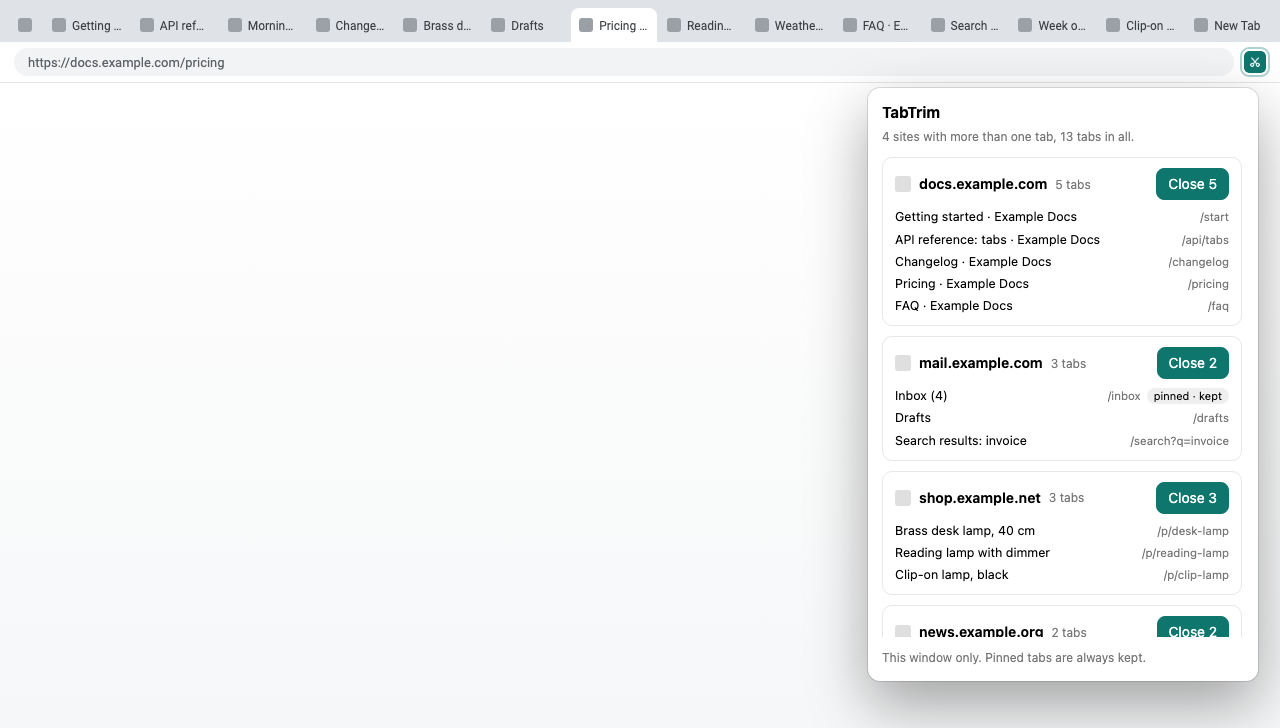
TabTrim lists the sites you have more than one tab open for, shows you each tab, and closes all of one site’s tabs at once. Pinned tabs are always kept.
- One click per site
- Pinned tabs always kept
- Free, no server
TabTrim
One click closes a site. Pinned tabs stay.
Press Close and every unpinned tab of that site goes, the one you are on included. Closed one by mistake? Ctrl+Shift+T brings it back.
- Pinned tabs never closed
- Ctrl+Shift+T undoes it
How it will work
Three steps, and you stay in charge.
- 1
Click the TabTrim icon
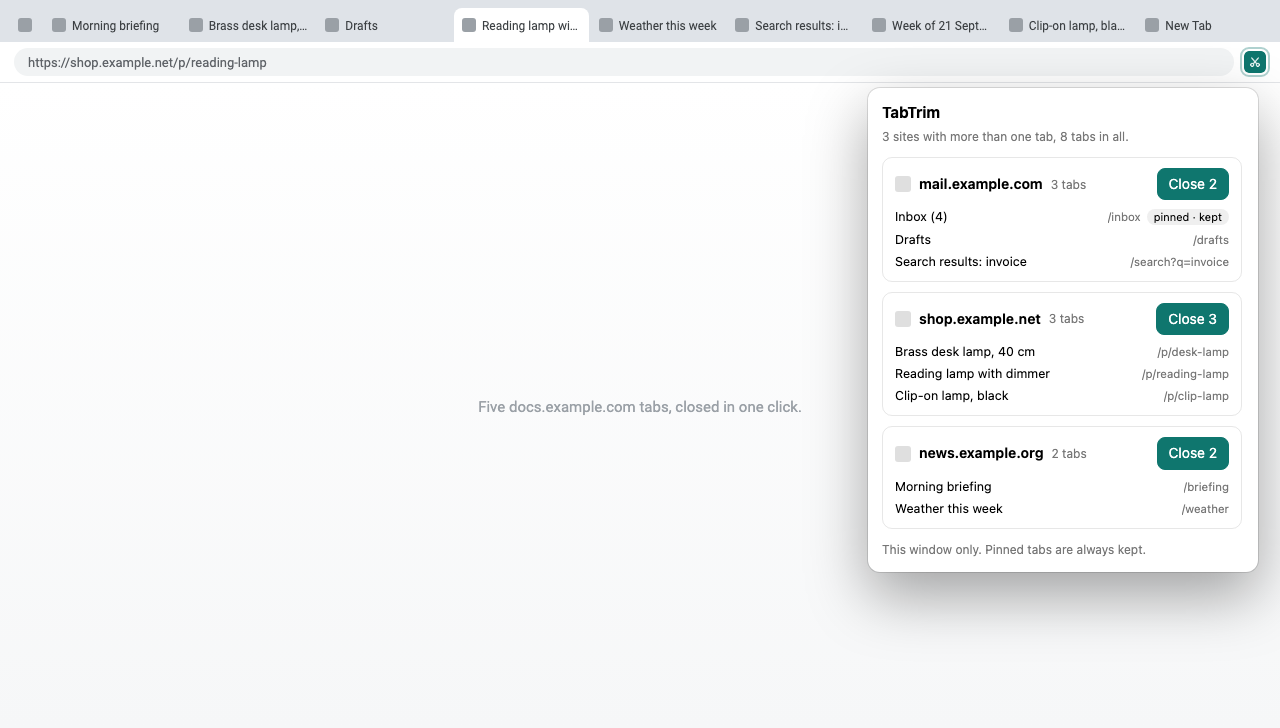
It looks at the tabs in the window you are in and lists every site with two or more of them, largest pile first.
- 2
See what would close
Each site shows its tabs by title and path, so you know what goes before you press anything. Pinned tabs are marked as kept.
- 3
Close them
Press Close on a site and every unpinned tab of it closes, including the one you are on. Closed one by mistake? Ctrl+Shift+T (Cmd+Shift+T on a Mac) brings tabs back.
Where it will run
Every website, one window at a time
It groups by the exact site name, so mail.google.com and docs.google.com are two different piles.
Any website
Any page on http or https.
This window
Only the window you opened it from, so it never closes tabs you cannot see.
Left alone
Pinned tabs, and Chrome’s own pages: settings, the new-tab page, extensions and local files.
Privacy, plainly
What it reads, and what it never does.
To group your tabs it has to read their addresses and titles. It does that inside your browser, and nothing leaves it.
What it will read
- The address and title of each tab in the current window, when you open the popup
What it never touches
- Any server: it has none, and makes no network requests
- Your history: it stores nothing, not even settings
- What is on the pages themselves
- Pinned tabs, and tabs in other windows
Chrome warns that extensions with the “tabs” permission can read your browsing history. TabTrim needs it to see tab addresses, reads only the tabs that are open right now, and keeps nothing. Read the full privacy policy
Planned pricing
Free.
No plan to charge for it.
Free
$0
- Every feature
- No account, no sign-up
- No ads, no tracking
TabTrim has no paid plan.
When will it be ready?
It is built and waiting for a place in the Chrome Web Store. Join the waitlist and you get one email on the day it goes live.
Does it close pinned tabs?
No, never. Pinned tabs are listed so you can see them, marked “pinned · kept”, and left open.
Does it close the tab I am on?
Yes, if it belongs to the site you close. The popup shows it in the list first.
I closed the wrong tabs. Can I get them back?
Yes. Press Ctrl+Shift+T (Cmd+Shift+T on a Mac) to reopen closed tabs, or find them under History.
Why are google.com sites listed separately?
TabTrim groups by the exact site name, so Gmail and Google Docs are not closed together.
Does it work across all my windows?
No. It works on the window you open it from, so it never closes tabs you cannot see.
Why does Chrome say it can read my browsing history?
That is Chrome’s standard warning for the “tabs” permission, which TabTrim needs to see tab addresses. It only looks at tabs that are open, only when you open the popup, and sends and stores nothing.
Fewer tabs, one click.
Free, with no account, no ads and no tracking.